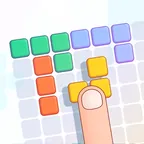
Color Artist
A casual pixel-art colouring game by The Good Guys, with more than 200 pictures, helper tools and harder images for a challenge. It suits anyone who wants a quiet, unhurried game with a finished picture at the end.

Back of the tile
No. 5- Genre
- Casual
- Developer
- The Good Guys
- Devices
- Computer, phone, tablet
- Input
- Click to apply colour
- Session
- One picture at a time
- Account
- Not required on Poki
- Suitability
- Kids and up
- Updated
- Checked 7 Oct 2026
Color Artist runs on poki.com, a separate site that Kaelitovakneo does not operate. The link opens Poki in a new tab; Poki shows ads around its games.
Open Color Artist on Poki → (opens poki.com in a new tab)Goal and mechanics
Color Artist is a pixel-art colouring game. You choose a picture and fill it in by clicking to apply colour, cell by cell, until the image is complete. Poki lists more than 200 pictures, grouped around themes such as animals, memes, food, princesses and everyday objects. If you cannot decide, there is a random pick. The range of themes means there is something for very different tastes, from sweet, cute animals to food and familiar everyday objects.
The game includes helper tools, so you do not have to find every cell by eye. Simple pictures take a short while; Poki's description also mentions harder pictures for players who want a challenge, which means more detail to fill in and more care with each colour. On a computer you click with the mouse; on a phone or tablet you tap. Because a pixel picture is made of many small cells, larger images take longer, and that is where the helper tools are most useful. Choosing between an easy picture and a hard one is the main way to set the difficulty.
You work through the picture at your own pace, and the result is a finished pixel image. It is the first game The Good Guys released on Poki. There are no scores to chase or opponents to beat; the sweet reward is watching the image appear. That makes it a good choice for winding down, or for a child who enjoys colouring but wants something on a screen.
Keys, clicks and swipes
- Click / tapApply colour to a cell
- Pick a pictureChoose from the collection or use a random pick
Tips worth trying
Start with a simple picture to get used to the palette and the helper tools before choosing a detailed one.
Use the helper tools on large pictures. They save time spent searching for the last few cells. They are most helpful when only scattered cells remain.
Fill one colour at a time instead of jumping around; it is easier to see what is left.
Try the random pick when you cannot choose. It is a quick way to see themes you might not open yourself.
A good fit for
Players of any age who want something calm, and anyone who likes seeing a picture appear piece by piece. Children who can click accurately can manage it, especially with simpler pictures. Players who want action or competition will find more in Talking Tom Gold Run or Soccer Skills 2: World Cup.
Drawbacks, honestly
— Poki shows ads around its games, including this one.
— Colouring is the whole game, so there are no goals, scores or competition to aim for.
— Detailed pictures need many small clicks, which can be tiring on a small phone screen.
Questions
How many pictures are there?
Poki's description lists more than 200 pictures, including animals, memes, food, princesses and everyday objects. There is also a random pick if you do not want to choose.
Is there help for large pictures?
Yes. The game includes helper tools, and you can also choose easier or harder pictures. Harder pictures have more detail and take longer to finish.
Who made Color Artist?
The Good Guys. According to Poki, it is their first game on the site.